Peter Pappas »
24 March 2013 »
In Ed Tech, History / DBQ's, How To, PD, Presentations, Publishing, Web 2.0 »
I recently spent a few days working with the middle and upper school history department at St. Margaret's Episcopal School, San Juan Capistrano CA. Shout-out to James Harris (chair) and the department for being great hosts and invigorating to work with.
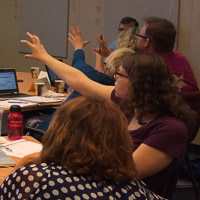
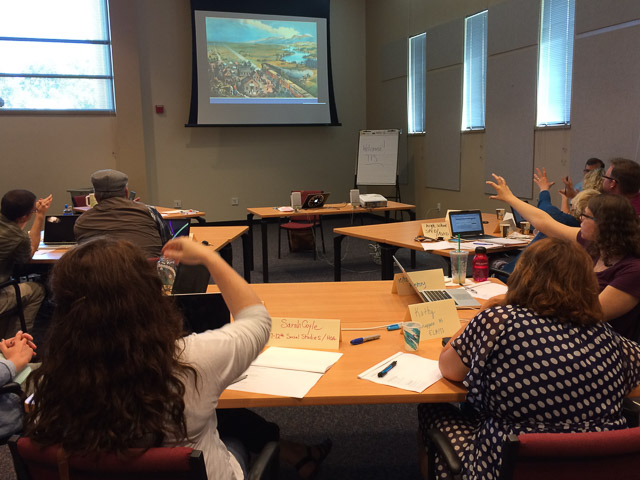
Photo - teachers are challenged to design Yes-No Decision Diagrams and experience the difference between creating a sequence and merely memorizing one.
Our goal was a practical hands-on workshop that fused technology, critical thinking, and strategies for students to be the "historian in the classroom." SMES has implemented iPads at the middle school, and they'll will be following 9th graders to the upper school next year. We were focused on ways to use iPads for content creation, feedback and reflection. Throughout the workshop, teachers used their iPads to respond to activities via LearningCatalytics (LC) and had guided practice in producing and delivering LC questions. iPads plus student response via LC is a killer app for student engagement.
I created a resource website that gives all the details of the project - but here's some highlights.
- How to select and craft historic documents into DBQs. Key takeaway - use documents that students can interpret with minimal background knowledge, or your just giving them another reading assignment with illustrations.
- Summarizing and comparison strategies that work. Key takeaway - are you really asking students to present what they think is important, or are you merely asking them to "guess what I'm thinking?"
- How to craft the iPad DBQ. Easy: Haiku Deck. Harder (but worth it) iBooks Author.
- Effectively curating information and sharing it with your team - How to use Evernote in the classroom.
- How to integrate statistical analysis into the history / social science classroom - nGram Viewer and GapMinder.
By the end of the workshop teachers had created a variety of DBQs using Haiku Deck and iBooks Author. Lots of ideas for using HistoryPin, Evernote, nGram Viewer and GapMinder. While it wasn't a definitive tech training, I think they left with critical lens to reflect on their practice and enough knowledge about the programs to see their feasibility for use in their classrooms. Not to mention “high-fives” when they got to show off the first iBooks they created.
Photo - teacher demonstrates her newly created iBook on US Imperialism.

Here's a few comments from the participants:
- All of the examples and learning experiences you chose for us were right on the mark. They were relevant and forced us to reflect on our practices and the students' experience when in our rooms. I have a lot to think about and a lot to change! Now if only it was the summer!
- Liked the interaction and really appreciated the hands on aspects of the training. I appreciate that you focused on higher- ordered thinking because I think that sometimes I hear some folks talking about iPads as if they (in and of themselves) are going to foster higher levels of thinking. In my experience, you still have to work really hard to make sure the kids are engaging in meaningful ways!
- Loved learning about learning catalytics. I will definitely start using this with the next unit, especially to focus on building reading comprehension skills with my sixth graders. The haiku deck will work to introduce units in a visual way and to have students demonstrate understanding. The main thing I focused on yesterday though was the need to be more deliberate in providing rigorous higher level thinking activities for students. I think I do a good job of this, but I want to do an audit on the curriculum to see where exactly I am providing these opportunities for students.
- I am really enjoying so many aspects of this. It would be great for more SMES teachers to be involved. It's practical and philosophical. The tone is upbeat and helpful and the flexibility of meeting us where we are at is terrific. There are certainly a few things I'll do differently.
- I really liked all of the concrete ideas of apps and teaching strategies I can use in my classroom. I feel energized to go back and change all of my units, which does feel quite overwhelming though! I feel like I am doing so much wrong, but then again, I am grateful that I have ideas for where I need to go.
- I especially liked discovering Learning Catalytics and Evernote. I could see both being very applicable to the classroom. Learning Catalytics is the tool I have been needing in order to keep middle schoolers engaged. I have been looking for ways to help them become more active learners, and this will be an excellent tool for that purpose.
- Really great day- I so appreciate your conversation about analysis! I am now thinking about new ways to increase rigor and I actually think it will make my class more enjoyable. This line stuck with me, "When do we stop modeling for students... and have the courage to be less helpful!?" I feel like I am always answering student questions with, "I don't know... can YOU?" or, "I really hope you figure that out!" I know it makes my students uncomfortable, but I THINK it makes them uncomfortable in a way that helps them learn to be problem solvers. Thank you for sharing strategies with my colleagues to empower us to be more courageous in the way we deliver instruction to help foster more divergent thinkers
As James Harris, the department chair, later wrote me in an email -
At dinner on Sunday, as we discussed the school, the department, and the needs of both, you mentioned the danger of “shiny objects” – educational technology pursued solely for the sake of it. I’ve always considered myself wary of ed. tech reps and their products. So often, in my opinion, the costs of hurriedly implementing their products – “critical thinking” activities over true analysis, etc. – often far exceed the limited gains they may bring. That is why I was so pleased with our time together and with the message you brought to our faculty. When you said that you were “all about what is simplest and most effective” to aid student learning, be that “a paper and pencil” or programs such as Learning Catalytics, I knew we were in great shape.
In following up with the department over the past 48 hours I can say confidently that your time here was a success on a variety of levels. First, and perhaps most importantly, you gently challenged us all to reflect on our own teaching practices and reconsider our definitions of “analysis”, “student learning”, and “rigor”. It is quite easy to fall into a pattern after several years of teaching with a certain model and our discussions this week on how best to challenge our students forced us all to reflect on our own strengths and weaknesses. Furthermore, your modeling of programs such as Learning Catalytics and Haiku Deck opened my eyes to one of the simplest, most reasonable fusions of traditional / technological pedagogy I have seen to date. Our faculty left so excited about the possibilities ahead of them yet reassured as to the value of their previous best practices.
Tags: Apps, Common Core, Critical thinking, ebook, Engagement, Essential questions, Evernote, GapMinder, Haiku Deck, Higher-order thinking, iBook, iBooks Author, Innovation, iPad, Learning Catalytics, Ngram Viewer, Relevance, Rigor, SMES, Summarizing, US History, Writing
Peter Pappas »
12 February 2013 »
In Ed Tech, History / DBQ's, How To, Literacy, Strategies »
CCSS offers an incentive for teachers to use historic documents to build literacy skills in a content area while empowering students to be the historian in the classroom. But document-based (DBQ) instruction in this context requires four key elements to be successful:
1. The right documents.
2. Knowing how to look at them.
3. Letting students discover their own patterns, then ask students to describe, compare and defend what they found.
4. Basing the task on enduring questions, the kind that students might actually want to answer.
My new multi-touch iBook – “Workers Win the War: Toil and Sacrifice on the US Homefront” – embodies that approach. Here’s how.
Tags: Common Core, Comparing, Critical thinking, Curriculum, ebook, Engagement, Essential questions, Higher-order thinking, iBook, iBooks Author, Innovation, Motivation, Relevance, Rigor, US History, Visual Literacy
Peter Pappas »
06 February 2013 »
In Ed Tech, Strategies, Students, Teachers »
Here’s a TEDx video – The Future Will Not Be Multiple Choice – that showcases the power of a PBL / design-based approach to learning. While you watch it, try to think of a meaningful career that looks like filling out a worksheet.
Tags: Creativity, Critical thinking, Curriculum, Design, Engagement, Essential questions, Google, Higher-order thinking, Innovation, Motivation, PBL, Reform, Relevance, Rigor, Test prep
Peter Pappas »
22 January 2013 »
In Ed Tech, Guest post, History / DBQ's, How To, Leadership, Publishing, Teachers »
Two years ago, three junior high teachers were thinking about how to better motivate their social studies students. They decided one way to get kids more excited about learning was to get rid of their traditional textbooks. Here’s a guest post on how these teachers teamed with their school and district leadership to create their own textbook.
Tags: Beth Williams, Common Core, DIY, iBook, iBooks Author, Innovation, iPad, Jeffrey Taylor, Joe Welch, Larry Dorenkamp, MacBook, North Hills JHS, Rich Texter, Textbook, US History, Writing
Peter Pappas »
17 January 2013 »
In Commentary, History / DBQ's »
With the 2013 inauguration nearly upon us, it’s interesting to look at the Official Souvenir program of President McKinley’s inauguration in 1901. Especially interesting is the two-page prediction of the Presidential Inauguration of 2001. The unnamed writer was caught up in visions of Manifest Destiny and technology – mechanical bands, a president from the state of Ontario, a flying parade of aerialautos, altering the flow of the Gulf Stream to effect climate chance, and an expanded US with 118 states and 91 territories extending into South America. Quite a contrast to the program ad claiming to provide “Fresh Air – No Cinders! No Smoke!” for rail cars of 1901. Here are some excerpts from the program
Tags: Amusements, Inauguration, Innovation, Manifest Destiny, Motivation, Theodore Roosevelt, US History, William McKinley
Peter Pappas »
23 December 2012 »
In Ed Tech, How To, Publishing »
We focused on getting started with using iBooks Author (iBA) in the classroom. Our discussion includes iBA workflow specifics, tips for getting started, project ideas and how to use iTunes to share student work with an authentic audience beyond the classroom. Listen and learn more about how to create and publish your own ebook. Includes links to more iBA resources.
Tags: David Carpenter, ebook, Ed Tech Co-Op, Essential questions, iBook, iBooks Author, Innovation, Mark Hofer, Parents, PBL, Podcast, Relevance, Writing
Peter Pappas »
09 December 2012 »
In Events, How To, Strategies »
There’s a great new free iBook that I highly recommend as a source for project based learning and team building activities for middle school students through adults. “Innovation Challenges – Mind Workouts for Teams” is available – free at iTunes.
It tells the story of a great program at Saint Louis University, designed to promote creativity, innovation, and the entrepreneurial mindset through novel challenges. The book is a detailed how to for 22 challenges – team supplies, facilitator supplies, tips, learning outcomes and variations. It’s a treasure trove lavishly illustrated with photos and videos. Challenges run the gamut from STEM to marketing and sustainability. The iBook also details how to replicate the competition at your institution.
Tags: Creativity, Critical thinking, ebook, Engagement, Higher-order thinking, Innovation, Innovation Challenge, Motivation, PBL, Saint Louis University, STEM
Peter Pappas »
07 November 2012 »
In Ed Tech, How To, Literacy, Publishing, Strategies »
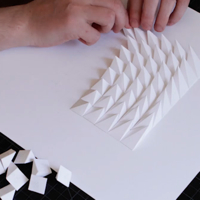
Too often teachers give students a Venn Diagram and ask them to compare. What looks like analysis on the surface is often no more than re-filling information from the source material into the Venn. Summarizing and comparisons are powerful ways to build content knowledge and critical thinking. But if students are going to master CCSS skills they need to design the model, find a way to express it to others, and have the opportunity self reflect on their product and feedback from peers. Here’s how to teach analyzing.
I will demonstrate how to meet these four keys to teaching analysis with FlipNLearn, a foldable that students design, print and share. It’s an innovative learning tool that students design on a computer, then print on special pre-formatted paper. FlipNLearn is a great way to give students a manageable design challenge that promotes teamwork, self-assessment and reflection. In 30 minutes, or less, they can produce tangible product that blends the best of PBL and CCSS skills in communication.
Tags: AMLE, Apps, Common Core, Comparing, Creativity, Critical thinking, Engagement, Evaluation, FlipNLearn, Higher-order thinking, Innovation, Motivation, PBL, PDX, Relevance, Rigor, Visual Literacy, Writing
Peter Pappas »
23 October 2012 »
In Commentary, Ed Tech, How To, Literacy, Publishing, Strategies, Students »
For years progressive educators have known the textbook was dead. Apple’s latest iPad Mini / iBooks Author event (October 23, 2012) suggests we are closing in on the tipping point that should hasten its demise. I’ll let others focus on the viability of the iPad as a textbook replacement in this era of shrinking budgets. Instead I’ll focus on three reasons why teaming iBooks Author (iBA) with the iPad can turn students from passive consumers of information, into active researchers, thinkers, designers and writers.
Tags: Common Core, Creativity, Critical thinking, ebook, Engagement, Higher-order thinking, iBook, iBooks Author, Information landscape, Innovation, iPad, Motivation, Visual Literacy, Writing
Peter Pappas »
28 August 2012 »
In Ed Tech, Guest post, History / DBQ's, How To, Students, Web 2.0 »
This guest post from Greg Wimmer – Social Studies Department Chair at Central York (PA) High School – describes an innovative student project. Students, working in collaboration with the York County Heritage Trust, wrote and produced movies for historic walking tours that can be accessed via Aurasma – a location-based, augmented reality, smartphone app. Greg shares how to integrate technology and community involvement into the history classroom. Includes videos and lessons learned.
Tags: Apps, Aurasma, Central Market York, Creativity, Gates House, Golden Plough Tavern, Greg Wimmer, iMovie, Innovation, Relevance, US History, Video production, York County Heritage Trust
Recent Comments